


WFLA News Channel 8 - Tampa FL
3.4386.00 Reviews
App Specs
- Version
- 510.0.1
- Updated On
- License
- Free
- Downloads
- 100,000+
- Developer
- Nexstar Inc.
- Categories
- News & Magazines
- Platform
- Android
Screenshots
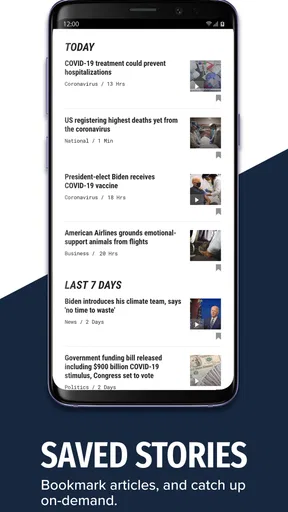
 Analysis by AppCompare
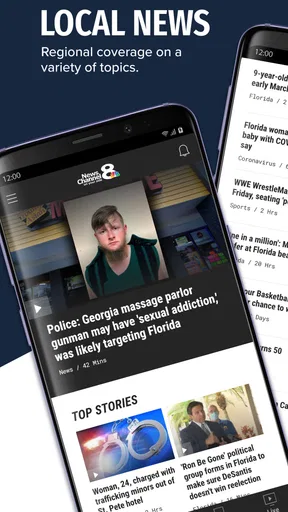
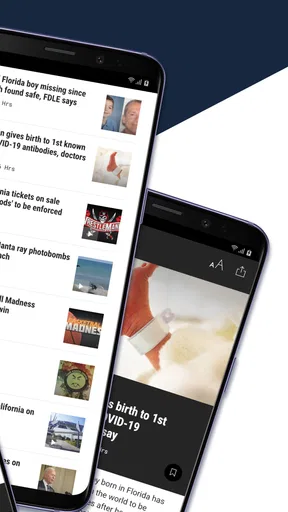
When I need a quick view of what is happening around Tampa Bay, I would rather open a focused local news app than sort through a national feed full of stories that do not affect my day. WFLA News Channel 8 - Tampa FL takes that focused approach. It is a free News & Magazines app from Nexstar Inc., built around the WFLA News Channel 8 local news service and its role as a Tampa Bay breaking-news source.
My overall impression is positive, with an important qualification: this is most useful as a local information tool, not as a complete replacement for every news source on your phone. It makes sense for residents, commuters, families, and anyone who wants Tampa-area developments close at hand. It is less compelling for readers who mainly want international reporting, deep analysis, or a highly personalized news experience.
A practical local news companion for Tampa Bay
I use this section to focus on the practical question behind a local news app: whether Tampa Bay updates are relevant enough to earn a place in your daily routine. I’ll look at how that focused role can help, and where it is worth pairing local coverage with another source for a fuller picture.
What the app gets right from the first use
The main strength is its sense of place. Instead of asking me to build a local news routine from several unrelated sources, the app gives Tampa Bay stories a central home. That matters during a busy morning, when I want to check local headlines before work, or in the evening, when I want to understand what changed in the area during the day.
I found the app easiest to appreciate when I treated it as a quick-check tool rather than a publication I had to read from beginning to end. A short visit can help me decide whether a developing story deserves more attention. That makes it useful for local awareness even when I only have a minute or two.
The emphasis on breaking news is particularly relevant for situations where timing matters. Traffic disruptions, severe weather, public safety developments, and changes affecting neighborhoods are the types of stories for which a local outlet can be more useful than a broad national application. The value is not simply that the stories are “news”; it is that they are connected to the place where the reader lives or travels.
There is also a practical benefit for people who have recently moved to the Tampa area. A national news app may tell them what is happening across the country, but it does not necessarily help them learn the rhythm of local events, recurring concerns, and the names of nearby communities. A dedicated Tampa Bay source can become part of that orientation process.
Worth Reading Before You Choose

EA SPORTS FC Mobile 26 Is a Bigger Football Game, but It Takes Time

Flipboard Shows What News Apps Must Do Beyond the Feed

Switching to Android Auto Means Rethinking Your Driving Routine

Google Calendar Makes a Crowded Week Easier to Manage

Ludo King Makes the Most of the Minutes Between Plans

Baby Panda World Brings Quick Play to Modern Phones, but Its Game Library Feels Busy
How I would use it during an ordinary day
Imagine leaving home and hearing that a major road is affected by an incident. I would open the app to get a local account before deciding whether to change my route. Later, I might return during lunch to see whether the situation developed, then check again in the evening for the broader local picture. That workflow is more realistic than expecting one long reading session to cover everything.
For a parent, the same pattern could mean checking local conditions before taking children to school or activities. For someone working in customer service, delivery, property management, or tourism, local headlines may provide useful context for conversations with customers and colleagues. The app is not a specialized professional dashboard, but its local focus can still support everyday decisions.
One useful habit is to separate urgent checking from relaxed reading. When I am looking for immediate information, I scan for the newest relevant story and avoid opening every headline. When I have more time, I use the app as a starting point and read beyond the first update. This prevents a common problem with breaking-news apps: spending too much time reacting to individual alerts or headlines without understanding the larger situation.
The local angle is stronger than a general news feed
Compared with a broad aggregator, this app has a clearer editorial identity. Aggregators are good at collecting many subjects in one place, but they can bury a local story beneath national politics, entertainment, technology, and opinion. WFLA News Channel 8 - Tampa FL has a more direct purpose, which makes it easier to return to when local relevance is the priority.
That focus also creates a trade-off. A general app can give me a wider range of viewpoints and subjects in one session. Here, I would still keep another source nearby for national and international coverage, especially when I want background, investigative depth, or reporting from outside Florida. The best setup for me is not choosing one category forever; it is using this app for Tampa Bay and a different service for broader coverage.
Readers should also understand the difference between a local breaking-news application and a newspaper-style digital edition. A newspaper-oriented service may be better for long-form articles, detailed opinion, archives, and carefully organized sections. This app is more attractive when immediacy and local awareness matter more than building a deep reading library.
Small workflow choices make a difference
My first recommendation is to avoid opening the app only when something alarming appears in a notification or social post. A calmer routine works better: check it at a predictable time, scan the main local developments, and then return only when a story affects your plans. That approach makes the app informative rather than stressful.
My second recommendation is to read beyond the first headline when a story could change during the day. Breaking coverage often develops in stages, and the first update may not answer the questions that matter most to you. I would look for the latest context before sharing a claim with family or making a travel decision. This is a general news-reading discipline, but it is especially important with fast-moving local events.
My third recommendation is to use it as a local starting point, not the only source for high-stakes decisions. If a story concerns safety, travel, school arrangements, or an emergency, I would cross-check the relevant official information as well. The app can help me notice an issue quickly, while official channels may provide the precise instructions needed to act.
Where the experience can feel limited
The strongest limitation is the narrowness that also defines the app’s appeal. If I open it expecting a full national news briefing, I will probably be disappointed. Its purpose is Tampa Bay, so anyone seeking a balanced overview of global events will need another app or publication beside it.
I also would not choose it as my only source for deep explanation. A breaking-news format is excellent for discovering what happened, but discovery is not the same as complete understanding. Readers who want extensive timelines, data-heavy investigations, or long opinion pieces may prefer a dedicated newspaper or magazine service for that part of their reading.
Another possible friction is the attention cycle created by urgent headlines. Local news can be genuinely useful, but a steady stream of developing stories can make the day feel more dramatic than it is. I found that the app works best when I decide in advance what I am checking for. Opening it repeatedly without a clear reason can turn a helpful habit into unnecessary distraction.
There is also a difference between usefulness for a Tampa Bay resident and usefulness for someone passing through. A visitor may appreciate current local updates, but the value will depend on the length and purpose of the trip. Someone staying for a weekend may find a general travel or weather tool more immediately practical, while a person commuting through the region or visiting repeatedly has a stronger reason to keep a local news source available.
Who should install it?
I would recommend this app to people who live in the Tampa Bay area and want one convenient place to monitor local developments. It is also a sensible choice for former residents who still follow the region, relatives who want to keep up with local events, and workers whose daily plans can be affected by what happens nearby.
It should appeal to readers who prefer a direct local source over an algorithmic feed. The app’s usefulness comes from its editorial focus, not from trying to be everything at once. If you already know that your main question is “What is happening around Tampa Bay today?”, the app has a clear answer to that need.
I would be more cautious about recommending it to someone who rarely reads local news. If your interest is limited to national politics, business, entertainment, or international events, a broader service will give you more value per minute. Likewise, students or researchers looking for extensive archives and source comparison may need tools designed for those tasks rather than a local breaking-news companion.
For families, I see the app as useful but best handled with a little judgment. Parents can use it to notice local issues that may affect schedules, but children should not be left to interpret alarming headlines without context. The content rating is Everyone, which makes the app broadly accessible, yet the subject matter of real-world news can still vary in seriousness from one story to another.
Compatibility, cost, and what the numbers suggest
The app is free, which removes the main barrier to trying it. It is listed for Everyone and supports Android starting with version 7.0, so it remains accessible to people using older compatible devices. The current version is 510.0.1, and the project has been available since September 5, 2017, giving it a longer presence than a newly launched local-news experiment.
Its reach is meaningful without making that reach a reason by itself to install it: the app has passed 100 thousand installs. The average rating is 3.4 from around 862 ratings, with 386 written reviews. I read that combination as a sign to keep expectations realistic. Many people clearly find the app useful enough to download, but the middling average suggests that the experience may not satisfy everyone equally, particularly users expecting the polish or breadth of a major national news platform.
Those figures are best treated as context rather than a verdict. A local app can be valuable to a smaller audience even when it does not compete with the biggest general news products. For me, the decisive question is whether Tampa Bay coverage matters often enough to justify keeping a dedicated source available. If the answer is yes, the free price makes experimentation easy.
How it compares with the usual alternatives
A national news application is better when I want one screen covering the country and the world. It can provide more subject variety and may be more convenient for a broad morning briefing. The compromise is that Tampa-area stories may receive less attention or appear beside a large amount of unrelated material.
A news aggregator is better for comparing headlines from multiple publishers. That can help me identify how different outlets frame the same event. However, aggregators often require more filtering, and their ranking systems may not reflect what matters most to a Tampa resident on a particular day.
A social-media feed is faster for discovering that something is happening, but it is also noisier and more vulnerable to incomplete context. I would use social posts as a signal to investigate, not as my final source for a serious local claim. This app offers a more purposeful destination when I want local reporting rather than a stream of reactions.
A television station’s app, meanwhile, may be the best fit for someone who already follows that station and wants its local coverage in mobile form. That is the central comparison here: this is not trying to be a neutral encyclopedia of all news. It is a digital doorway into the WFLA News Channel 8 local news experience. Readers who value that particular Tampa Bay focus will understand the design choice; readers wanting many independent outlets in one place may prefer an aggregator.
My final assessment
After using it as a local check-in tool, I see WFLA News Channel 8 - Tampa FL as a practical, focused app with a clear job. Its strongest evidence is not a long feature list; it is the usefulness of having Tampa Bay developments gathered around a recognizable local news source. That focus helps during ordinary planning, commuting, and staying connected to the area.
Its weakness is equally clear. It cannot replace a broader news service, and it is not the ideal choice for readers who want extensive analysis or a multi-source research environment. The app works best when I accept that it is specialized rather than judging it by the standards of a national news platform.
My recommendation is simple: install it if local Tampa Bay awareness is part of your daily life, and pair it with a broader source if you need complete national and international coverage. Because it is free and supports older Android versions, trying it carries little practical risk. For the right reader, it can become a dependable first stop when the question is not “What is happening everywhere?” but “What do I need to know about Tampa Bay today?”
Pros
- Fast updates on Tampa Bay breaking news and local developments.
- Useful weather forecasts
- radar
- and severe-weather alerts.
- Live newscasts help users follow major stories as they happen.
- Covers local traffic
- sports
- and community events in one app.
- Push notifications can keep you informed during emergencies.
Cons
- Some alerts may feel frequent or repetitive during developing stories.
- Video playback can use significant mobile data when streaming on cellular.
- Coverage is primarily regional and less useful outside the Tampa Bay area.
- Advertising may interrupt browsing or appear alongside news content.
- Certain features may depend on a stable internet connection.
FAQs for WFLA News Channel 8 - Tampa FL
What is WFLA News Channel 8 - Tampa FL?
WFLA News Channel 8 - Tampa FL is the official news app for WFLA-TV, serving Tampa Bay and surrounding areas in Florida. It provides access to local and breaking news, weather forecasts, video reports, traffic information, and other regional coverage. The app is designed for users who want quick updates about Tampa, St. Petersburg, Clearwater, and nearby communities.
What type of news and content can I find in the app?
The app typically includes local news, state and national headlines, politics, crime reports, health stories, sports, entertainment, and community updates. Users can also watch selected video reports and live coverage when available. Its strongest focus is Tampa Bay, making it especially useful for following local events, severe weather, traffic disruptions, and developing stories in the surrounding area.
Does WFLA News Channel 8 provide weather alerts and forecasts?
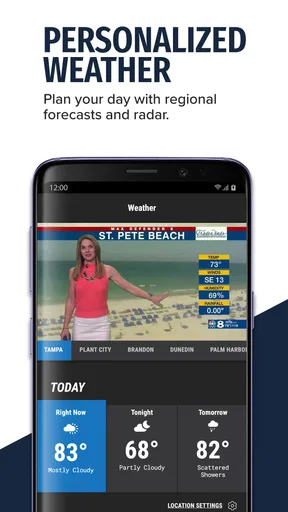
Yes, weather is one of the app’s main features. Users can check current conditions, hourly information, extended forecasts, radar imagery, and severe-weather updates for locations in and around Tampa Bay. Notifications may also be available for significant weather events. However, alert delivery can depend on your device settings, location permissions, internet connection, and the availability of local coverage.
Can I watch live news or video reports through the app?
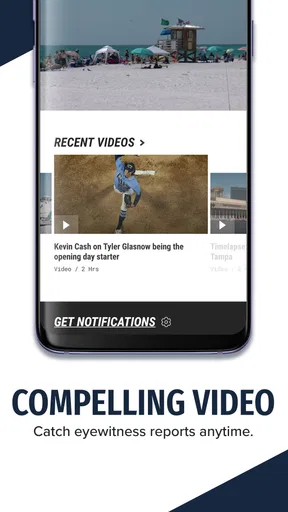
The app offers video content, including news reports, interviews, weather updates, and other clips published by the WFLA newsroom. Live streaming or live coverage may be available during important events, although access and programming can vary depending on broadcast schedules, regional restrictions, and technical conditions. A reliable internet connection is recommended, particularly when watching longer video segments or live reports.
Is WFLA News Channel 8 free to download and use?
WFLA News Channel 8 is generally available as a free download for compatible Android and iOS devices. Most news articles, forecasts, videos, and alerts can be accessed without a subscription, although the app may contain advertising. Some features may require permissions such as notifications or location access. Before downloading, users should check the current store listing for device compatibility, privacy details, and any updated terms.


